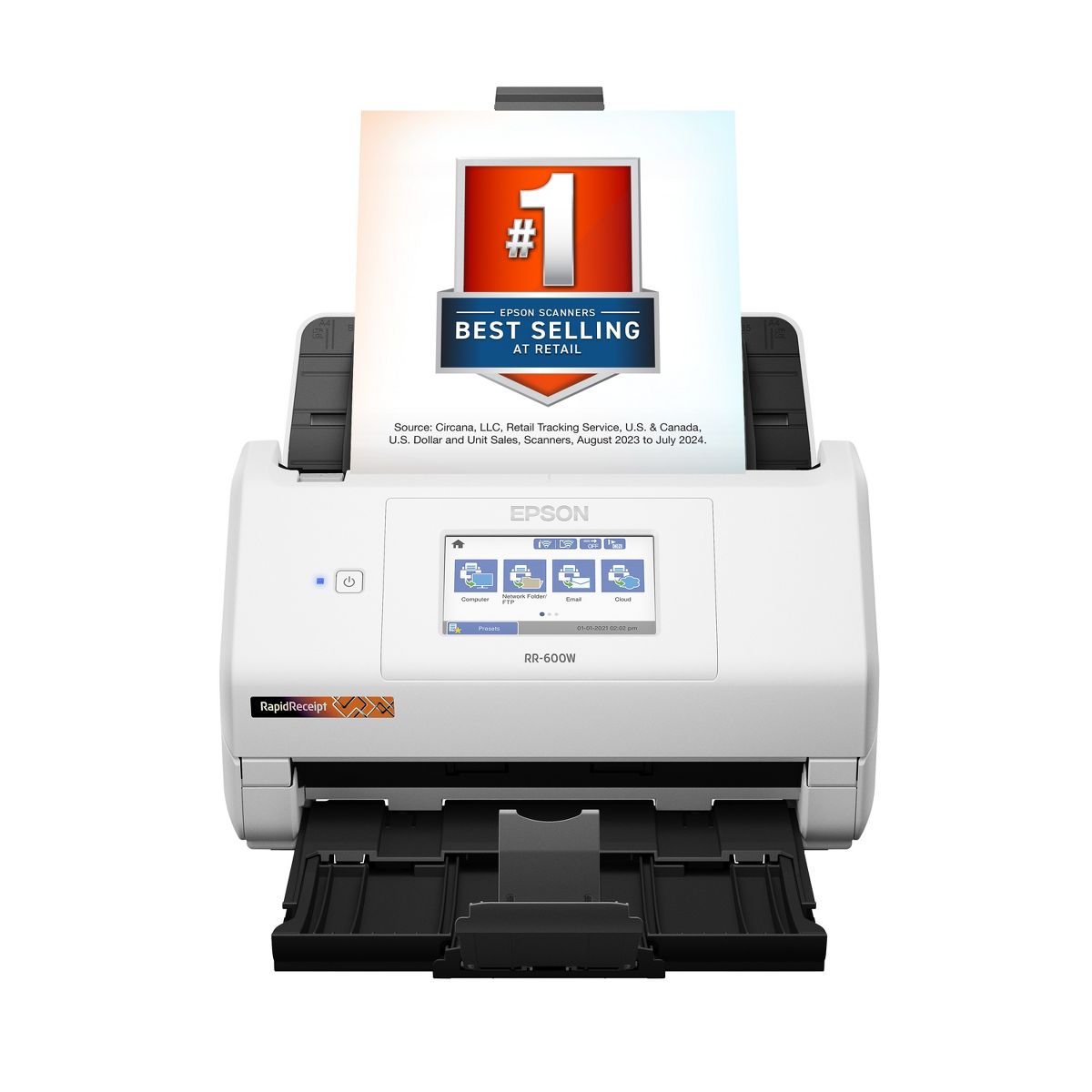


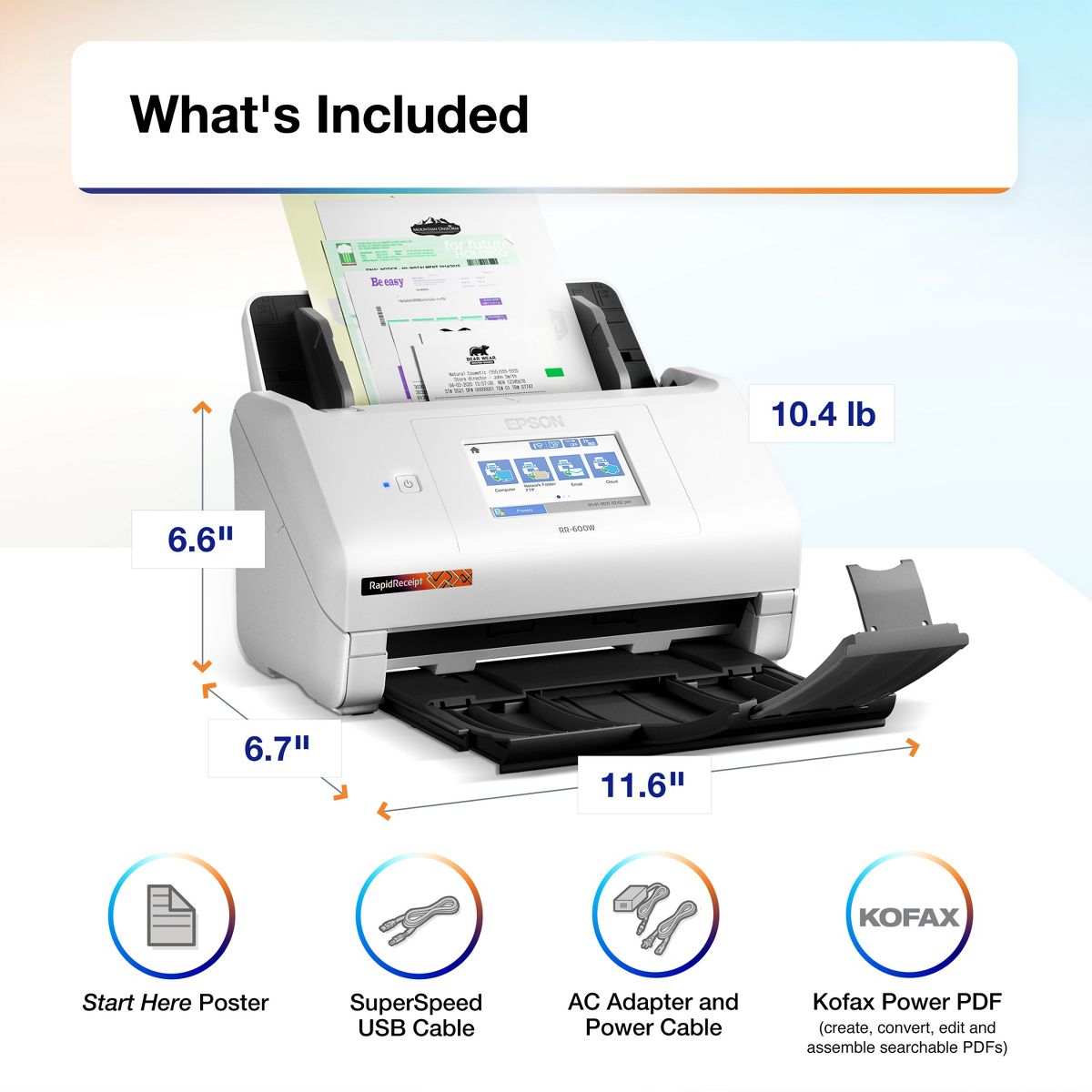
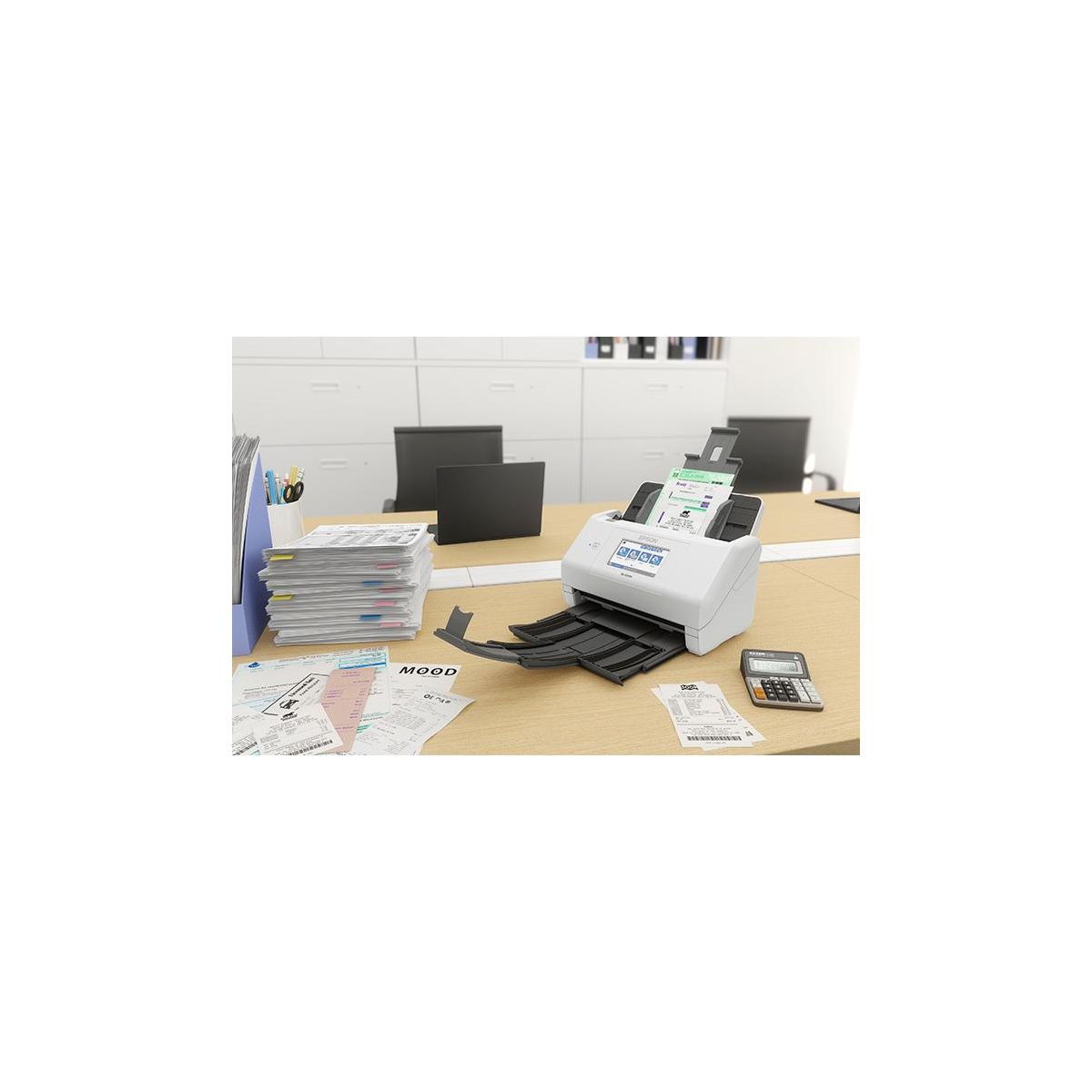
Epson RapidReceipt RR-600W Wireless Desktop Color Duplex Receipt and Document Scanner
Write a review
$42999 $52999

Epson RapidReceipt RR-600W Wireless Desktop Color Duplex Receipt and Document Scanner

Write a review
90022755
+
Add to wish list
Starget Electronics is a leading online electronics store offering a wide range of gadg...

City: US, New York

Delivery
Pickup at your own expense
Tomorrow from 09:00 to 20:00, Store location
Free
Payment options
Apple Pay Google Pay Mastercard Visa
Cash, bank card, credit/installment payments, cashless payment for legal entities
Warranty and returns
Exchange/return of products of proper quality within 14 days Official manufacturer's warranty: 12 months
Description
Unleash the power of AI with the Epson RapidReceipt RR-600W dedicated business scanner.

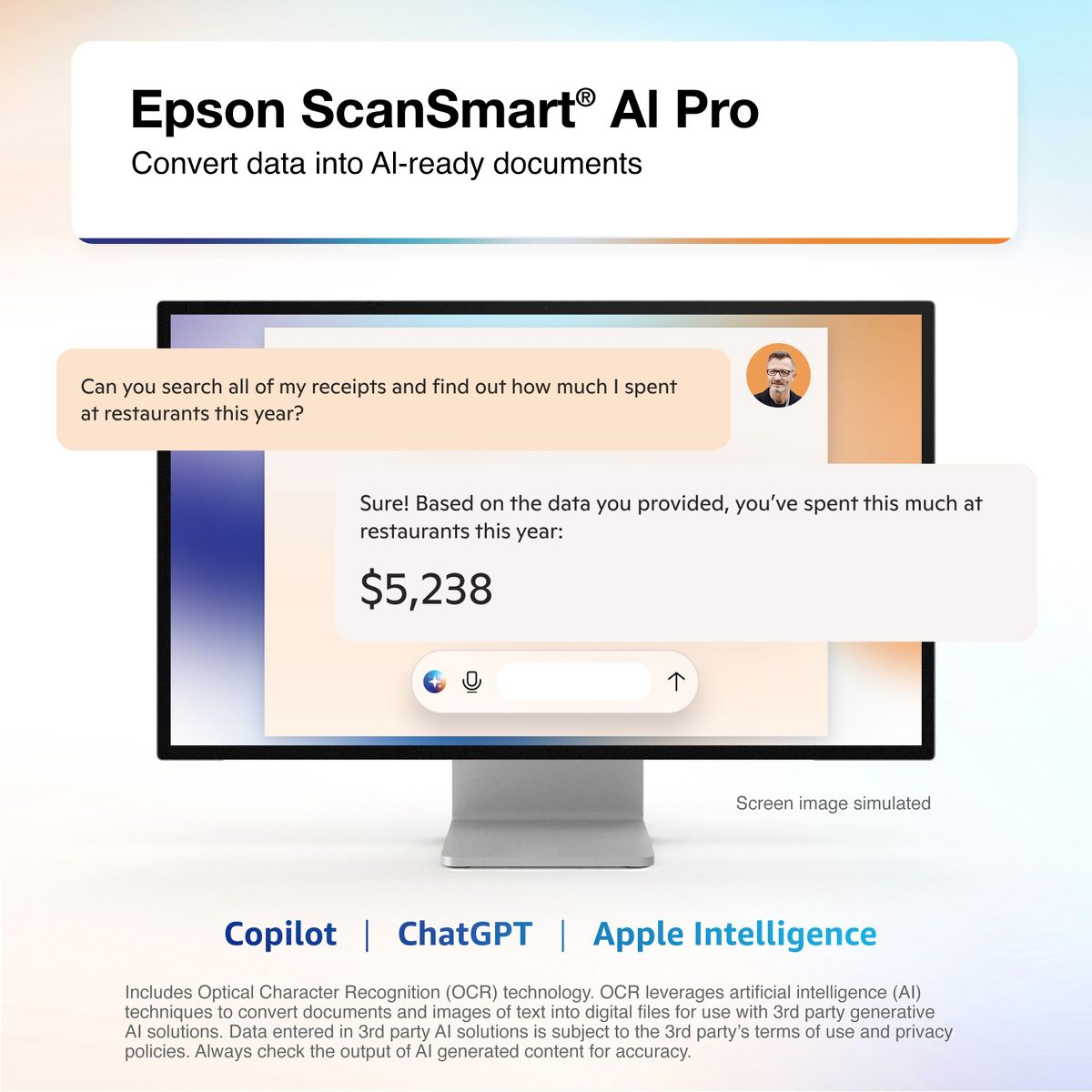
Driven by Epson ScanSmart AI PRO technology, you’ll quickly and intelligently convert scanned information into smart digital data – making your documents AI-ready for Microsoft Copilot, Apple Intelligence, ChatGPT workflows and more.

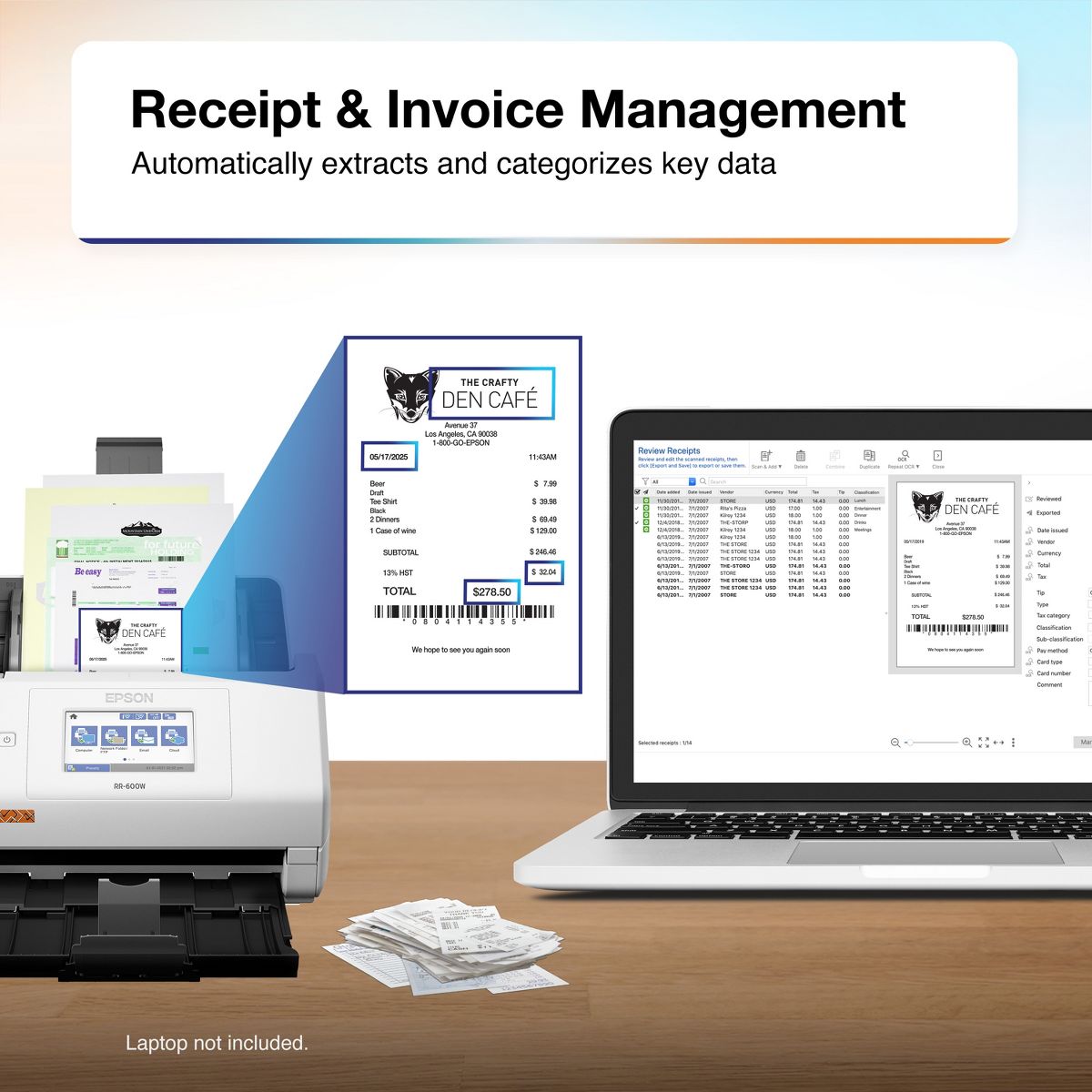
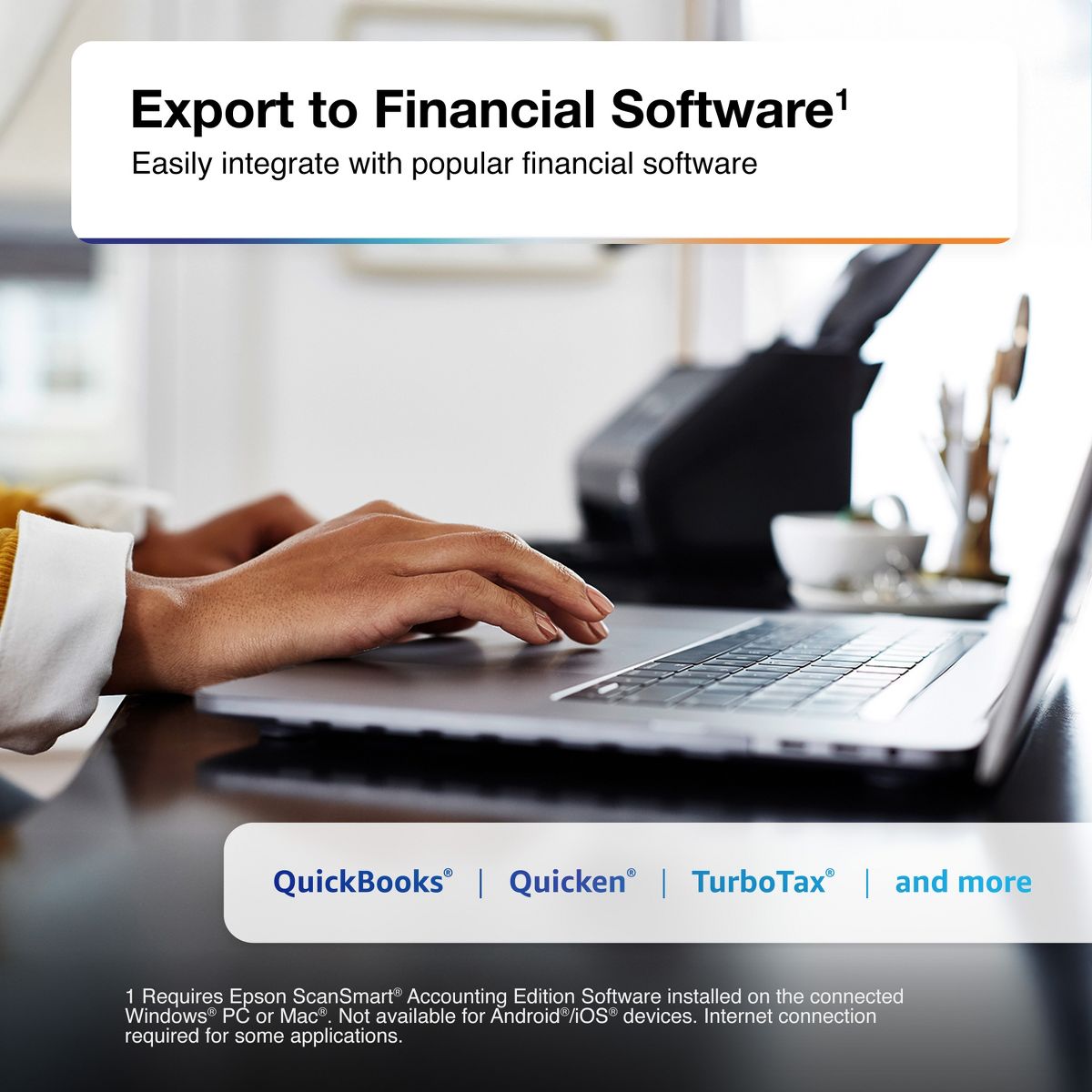
Going beyond simple document capture, the RapidReceipt RR-600W scanner utilizes an extensive data model of various invoices and receipts to quickly turn stacks of unorganized paperwork into categorized digital data that easily integrates into financial applications such as QuickBooks and TurboTax.

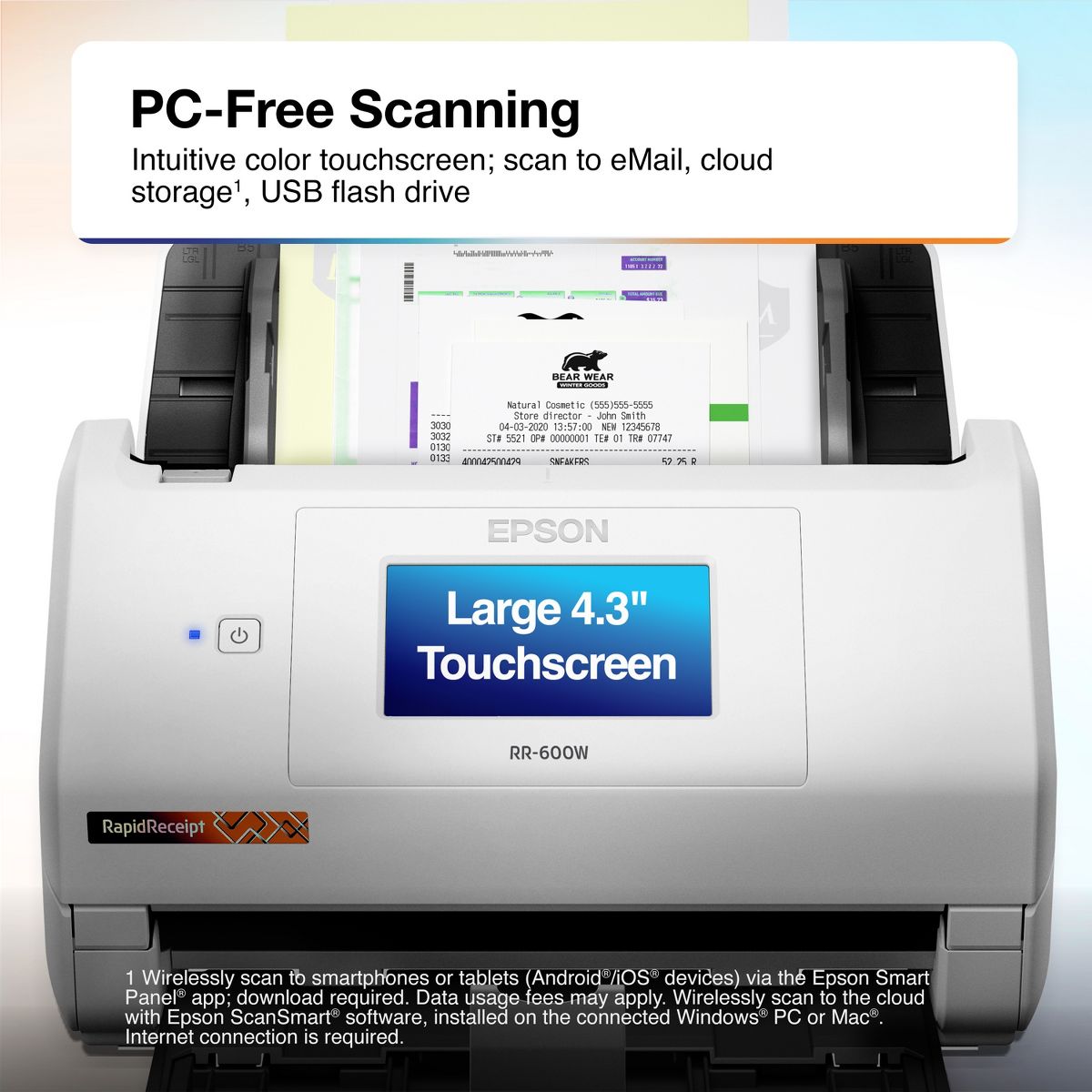
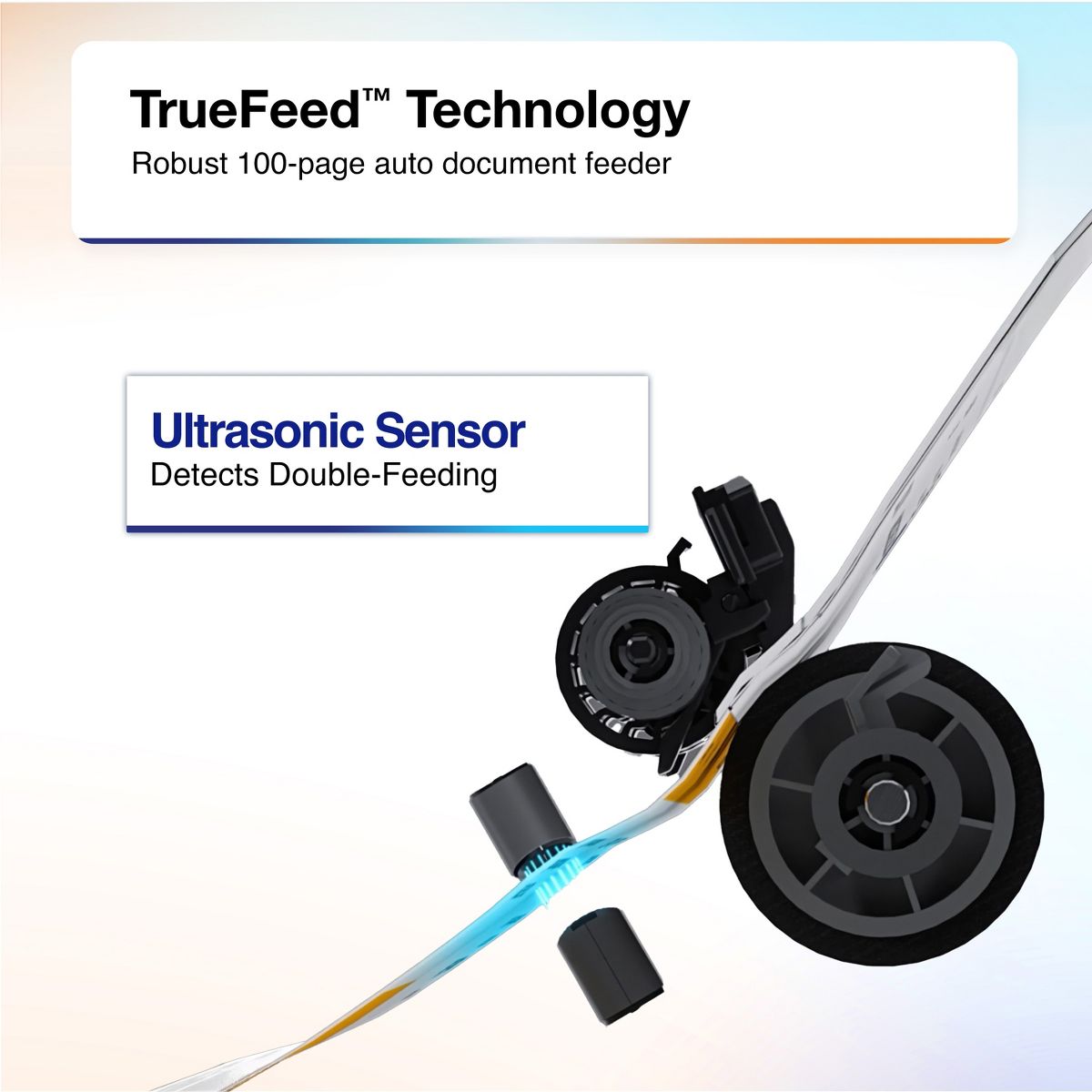
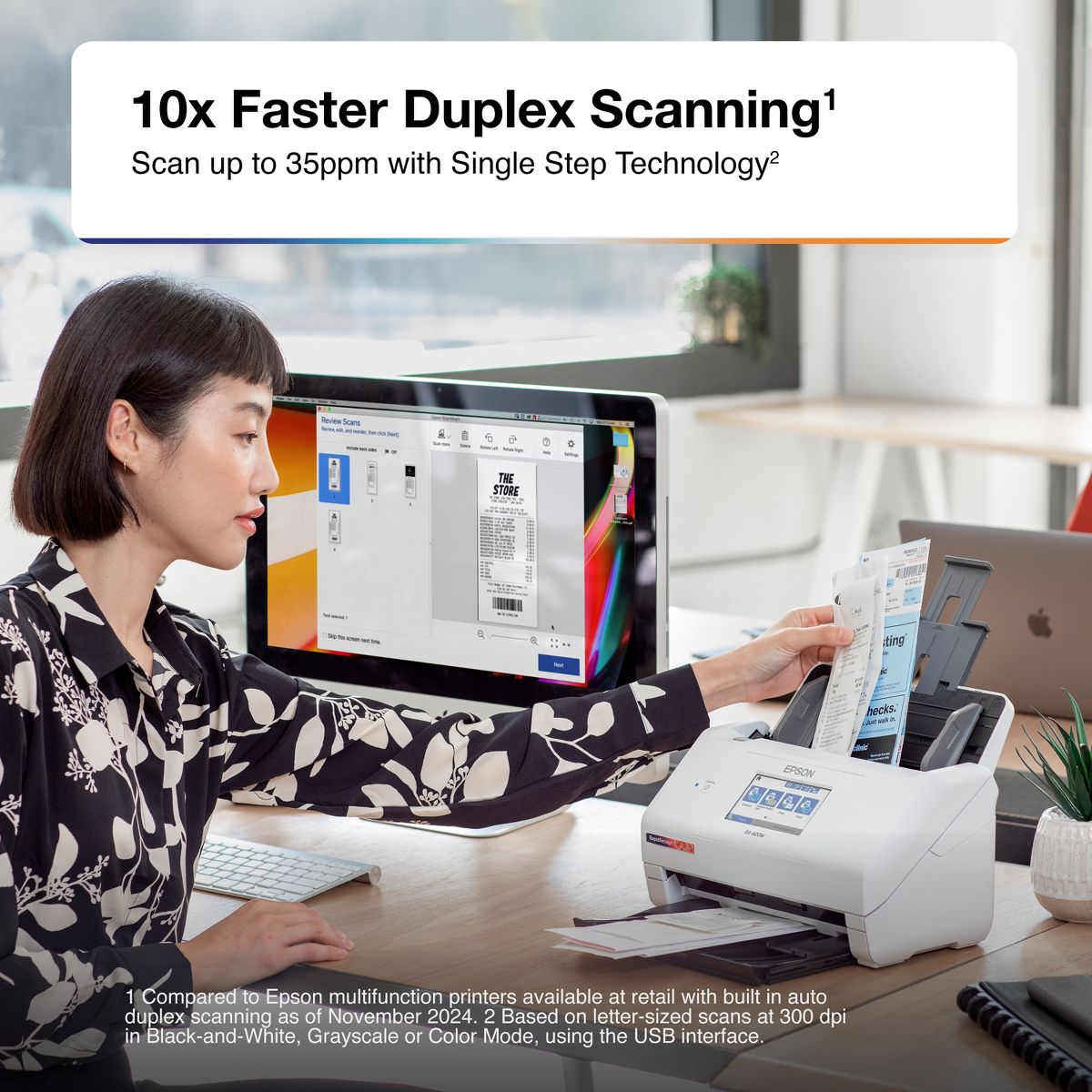
The RapidReceipt RR-600W helps increase your productivity with fast scanning up to 35 pages per minute, delivering 10 times faster duplex scanning than a multifunction printer. Plus, advanced features like a 100-page Automatic Document Feeder and the ability to create searchable and editable PDFs. While the built-in 4.3" color touchscreen allows for PC-free scanning directly to an email account, cloud service or USB drive.

One of the smartest investments you can make for your business, the Epson RapidReceipt RR-600W business scanner, powered by ScanSmart AI PRO, enables you and your business to stay organized and efficient by unleashing the power of AI.
Reviews
4.8
Reviews: 17
5 stars
88%
4 stars
6%
3 stars
0%
2 stars
6%
1 star
0%
Most Helpful Critical Review
ImportBling
2
Light Duty at Best
I have a busy bookkeeping business. We scan hundreds to thousands of documents a day for our clients. The desktop scanners we used previously are fast but they require you to scan in one receipt at a time and then they must be connected with a cable to your computer. I initially bought 3 of these RR600W Rapid Receipt printers for testing, with the plan to buy more if they proved their worth. One of them failed right out of the box. It never connected to the WiFi despite very many attempts. The was returned. We retain the other 2 however I would caution anyone in a production environment against considering them. Even with technical employees you are going to waste time supporting them. And they jam often when feeding in more than 4 or 5 documents at a time. When they jam you have to clear error messages on both the scanner and the computer and then you have to refeed the jammed receipts. Often you get part way, or most of the way through a large scan job when the app screen simply goes white and you lose all you work. You have to restart the app to rescan everything again. The frustration and wasted time makes these a time waster in a production environment. For someone who just scans a few household receipts they are likely more reliable but the frustration of keeping them connected to your WiFi is not really worth the money.
Rashad
5
Receipt scanner
I love the product wish that I could just put them all in at bulk and it doesn’t all by itself
ImportBling
2
Light Duty at Best
I have a busy bookkeeping business. We scan hundreds to thousands of documents a day for our clients. The desktop scanners we used previously are fast but they require you to scan in one receipt at a time and then they must be connected with a cable to your computer. I initially bought 3 of these RR600W Rapid Receipt printers for testing, with the plan to buy more if they proved their worth. One of them failed right out of the box. It never connected to the WiFi despite very many attempts. The was returned. We retain the other 2 however I would caution anyone in a production environment against considering them. Even with technical employees you are going to waste time supporting them. And they jam often when feeding in more than 4 or 5 documents at a time. When they jam you have to clear error messages on both the scanner and the computer and then you have to refeed the jammed receipts. Often you get part way, or most of the way through a large scan job when the app screen simply goes white and you lose all you work. You have to restart the app to rescan everything again. The frustration and wasted time makes these a time waster in a production environment. For someone who just scans a few household receipts they are likely more reliable but the frustration of keeping them connected to your WiFi is not really worth the money.
Recon
5
RapidReceipt 600W
God I just love this personal RapidReceipt Epson RR-600W System it really help me keep all my documents in order.
Esha
5
Nice Scanner
This Wireless Touchscreen Scanner is nice to use for receipts, documents, or any other important paper that you have to scan for an important cause. I like how it was easy to install on my desktop computer. I like how it's easy to use because there isn't anything complicated about it. I like the size of the scanner, it's nothing to big or bulky.
Belle T
5
No Nonsense Scanner
My husband and I constantly have to scan documents to our computer and phones. We used to use a very old all-in-one printer which had a scanner tray, but this scanner was slow and could not connect to our network. This scanner fixes all that in spades. First, it scans at an alarmingly fast rate, so fast in fact, that my husband jumped thinking he had broken something when the scanner almost literally spit the test document out at him. He was very much impressed and loaded up several pages and had the scanner scan both sides. This barely slowed the scanner down at all. In a matter of seconds both front and back scans of 6 documents were available on his phone. My husband said he was able to connect to the scanner fairly quickly using his phone and getting the scans using the Epson Smart Panel app. It will show you a preview of the document and the current rotation. You can easily rotate the document with the click of a button and change resolution and color. The touchscreen on the scanner is also easily traversed. It is very responsive and all the icons are easy to understand. There has been no haptic issues that we noticed. The only issue we had might have been user error. When we downloaded the driver and setup software, it said it had completed but, we couldn’t scan directly to the computer. Resetting the scanner didn’t do anything and neither did resetting the computer. My husband decided to try installing the drivers again and after installation, it went through a setup the hadn’t happened during the first installation. After that, the computer and scanner were working together perfectly. If you scan documents constantly and want a fast reliable scanner, then this will work perfectly for you. This is a review for the Epson RR-600W Wireless Duplex Touchscreen Scanner that I received free of charge to do a beta test and review.
Jillb2021
5
Great addition to any office
The Epson Rapid Receipt RR-600W has been an amazing addition to my home office. I work for a non profit and most of my work is done from home. This scanner has enabled me to scan receipts and documents to export to Quickbooks. It has easy to follow instructions, setup is quick and understandable with minimal effort. First I set up wireless, downloading the app on my smartphone and software on the computer. The touchscreen on the scanner is easy to use, clear to read and makes setup uncomplicated. The buttons and instructions are easy to follow. I’m able to scan double sided documents with easy and without having to then the paper over. This saves lots of time. The scanned document is quickly sent so I can export data. Overall, this scanner has been an amazing addition to my desk. It saves time, is easy to use and gets the job done. This is a review for the Epson RR-600W Wireless Duplex Touchscreen Scanner that I received free of charge to do a beta test and review.
Innoc
5
Awesome scanner for receipts and documents!
The Epson RR-600W is a fantastic space saving scanner designed to quickly scan in documents and receipts with the touch of an on screen button to many different locations, either via USB or your wireless network with ease. Setting up the Epson RR-600W was very simple, with easy to follow instructions on the bright and clear 4” LCD touch screen. Initial setup was a breeze, inputting date and time settings were easy and clear to set. To connect to Wifi, you do need to go into the settings, and configure the network settings. In my case, the scanner found my wifi network and I just needed to enter the wifi key. Once done, you have the option to register with Epson Connect services, which appeared to be required before you can scan to cloud services. In the case you do not want to scan wirelessly, Epson does include a USB cable to directly connect to a computer, as well as including the ability to scan to a USB flash drive. I tried both scanning via Wifi and via USB to computer, both were simple and easy to do. USB to PC scanning did require the download of the Espon software from Epson’s website, and setup of that software was quick and easy, and included registration of the scanner. When it comes to the operation of the scanner, the Automatic Document Feeder holds approximately 100 pages to be scanned, however I never found the need to batch scan so many any a time. At a rate of 70 pages per minute (in monochrome), this is no slouch. The ability to place a stack of receipts and send them directly to Google Drive has been such a time save. That feature is very handy if you find yourself expensing invoices to your employer. The duplex feature makes scanning double sided documents a breeze, a quick scan and both sides of your document appear in your chosen location. Duplexing options should just be standard nowdays, so kudos on that. There are plenty of options within scanning to get your document to easily be legible, regardless of how the original document appears. Black text on red background, no problem! The Epson ScanSmart software, which is included via download with the Epson RR-600W allows for automatic text extraction, as well as searchable PDFs. The ability to search scanned documents presents an even greater value, especially when scanning very important documents that may need to be referenced. For any of us that have had to manually comb through a scanned document for verbiage, this comes as a welcome. The receipt scanning portion of the software will also read the receipt for information like retailer, purchase cost, and date of purchase, among other things, again, making things much easier to keep purchases organized in a clean and simple way. You can also import receipts and expenses into Quickbooks, TurboTax and Quicken! A license is provided for Kofax PowerPDF for Windows or Mac for PDF manipulation. Presto! Bizcard 7 is also provided for simplifying the scanning and organization of business cards, another great function of the scanner. You can’t go wrong with the Epson RR-600W scanner. From speed, to scan quality, to fantastic OCR, this checks all my boxes for a great space saving document and receipt scanner. This is a review for the Epson RR-600W Wireless Duplex Touchscreen Scanner that I received free of charge to do a beta test and review.
Evynena
5
Excellent Product
I love tis scan is easy to use, the image is perfect, you can use wirless and link with your table, computer or telephone, the RR-600W is touchscreen, this scan makes easy my job. This is a review for the Epson RR-600W Wireless Duplex Touchscreen Scanner that I received free of charge to do a beta test and review.”
BetaBrad
5
Epson RR-600W is an Excellent Desktop Scanner
I previously used a Fujitsu Scansnap S-1500. This review is written in comparison to that device. Pros: * The Epson RR-600W is fast to setup and easy to use. This is facilitated by the touchscreen that allows you to directly input your Wi-Fi information. * The Epson has a large volume paper feed, holding 100 pages. * The Epson is scans significantly faster than the Fujitsu. It automatically selects color vs grayscale or B&W and duplex scans. * The touchscreen and wireless connectivity are very convenient, so you can scan to any computer on your network (or to USB or a cloud drive). * The automated receipt software with integrated OCR is unique and convenient for being able to feed various finance programs. Cons: * I prefer how the Fujitsu folds up when not in use. This prevents dust from entering into the paper feed slot. The Epson paper feed is fixed. * The Epson is a bit bigger than the Fujitsu. This is partially due to the Epson not having a folding paper feed. * With the bundled software, the Fujitsu is able to automate OCR for scanned files in the background. It doesn’t appear that the Epson is able to do that (except for receipts). With the bundled Kofax software, you have to manually select the files that you want to OCR. This is a review for the Epson RR-600W Wireless Duplex Touchscreen Scanner that I received free of charge to do a beta test and review.
LisalisaD
5
Compact, easy to setup and easy to use
I have been searching for a scanner that is easy to setup as well as easy to use. The scanner came well packaged to protect against damage in shipment. The instructions provide were easy to follow and the software you download is very user friendly. I use a MacBook and most hardware you purchase is not compatible with them. This scanner is not only compatible but it works very well with them. The scanner was also very easy to setup the wireless feature according to the directions. I also like the size of this scanner, my desk is pretty full so having a compact design was a plus for me. Literally it took about 5 minutes to get it out of the box and setup and fully functioning. I use a scanner to put in my receipts for my small business. Within minutes of taking it out of the box I was scanning in my receipts. It has a nice size touch screen that you can choose where to send your scanned documents or whatever you are scanning to. The options include your computer, iCloud, as well as a thumb drive. My favorite feature on this scanner is the ability to input data and integrate it with quick books which is a huge time saver for me. This is a review for the Epson RR-600W Wireless Duplex Touchscreen Scanner that I received free of charge to do a beta test and review.

Showing 10 of 17 reviews

Similar products
You may be interested
  • Bestsellers
  • Recently Viewed
 
Fast and high quality delivery

Our company makes delivery all over the country

Quality assurance and service

We offer only those goods, in which quality we are sure

Returns within 30 days

You have 30 days to test your purchase