

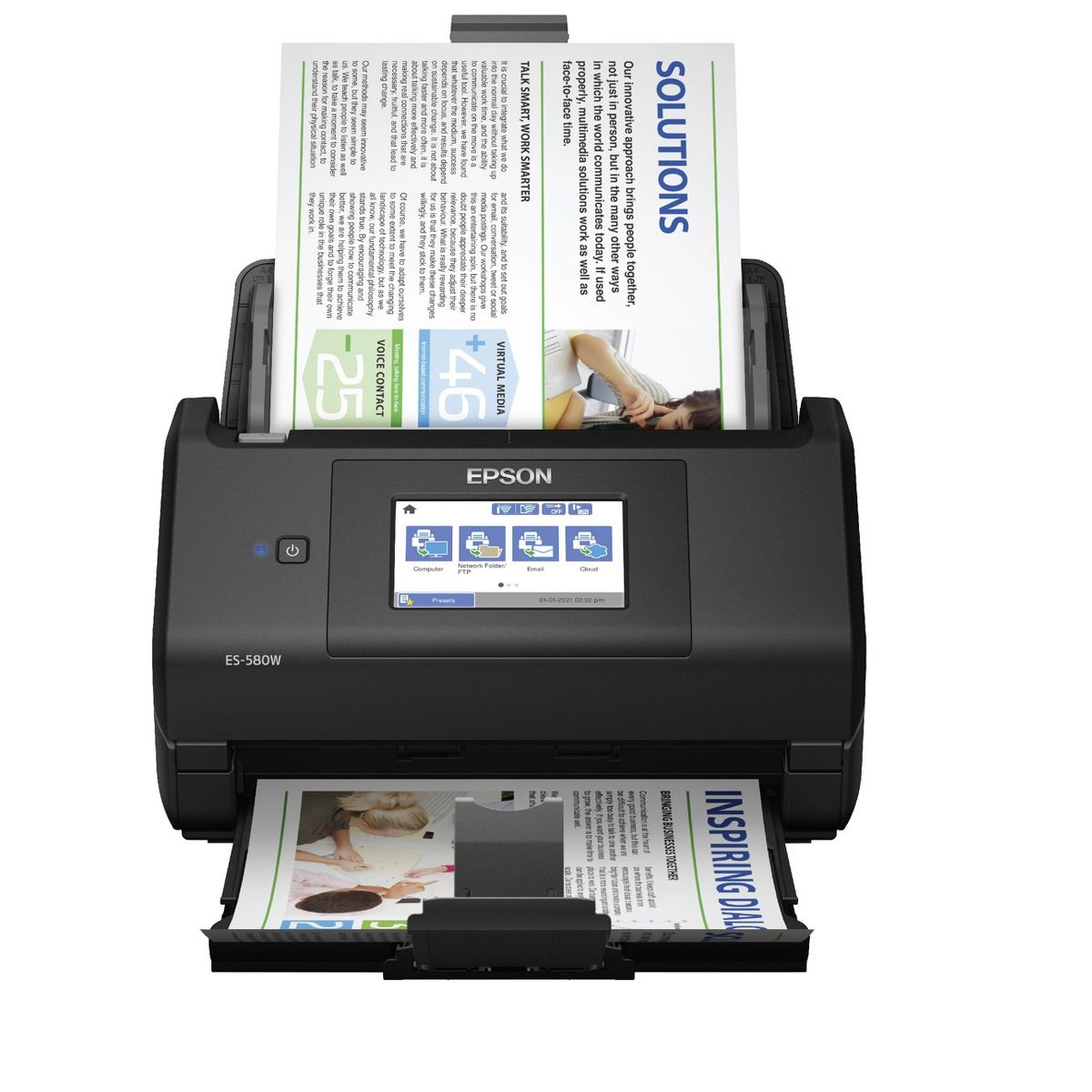
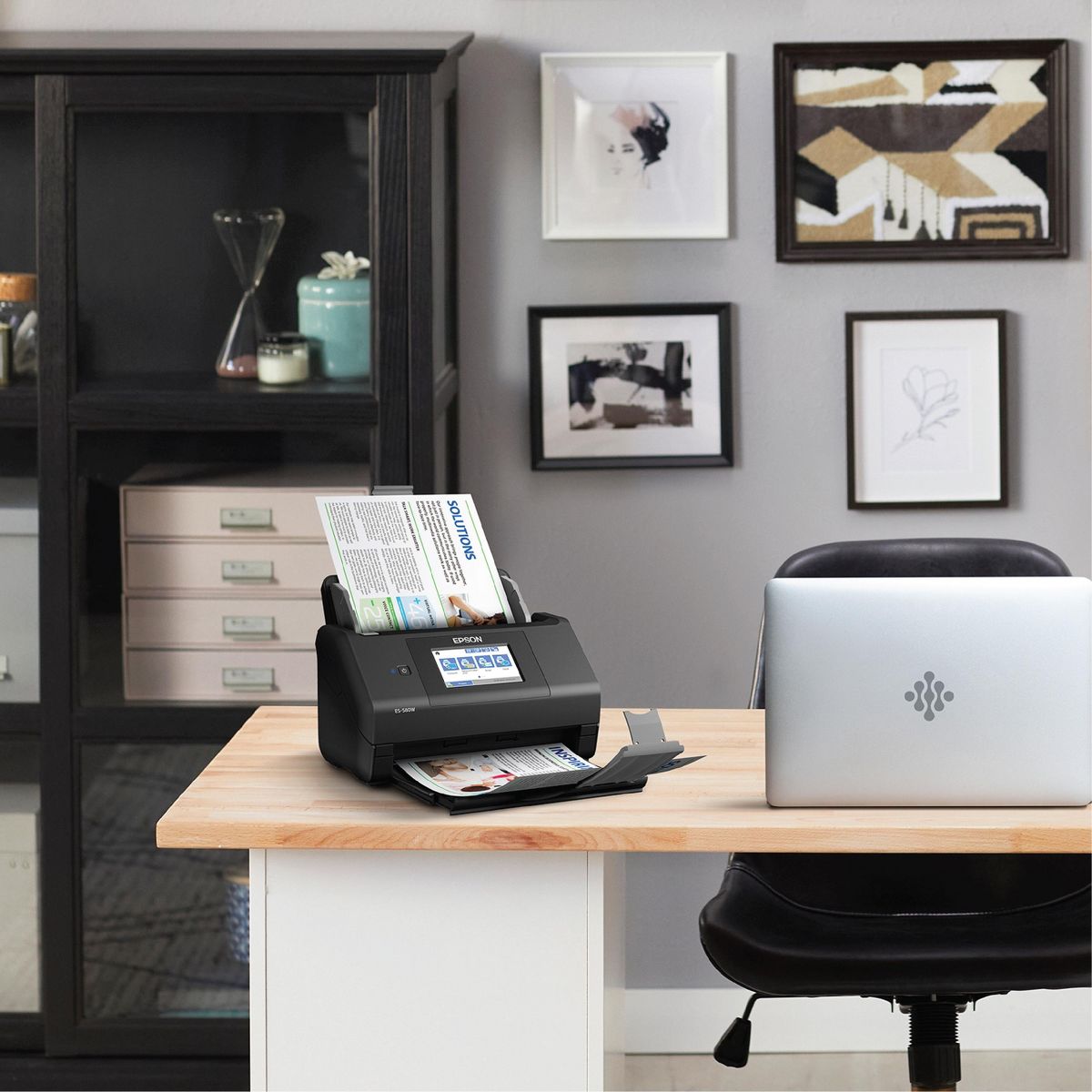
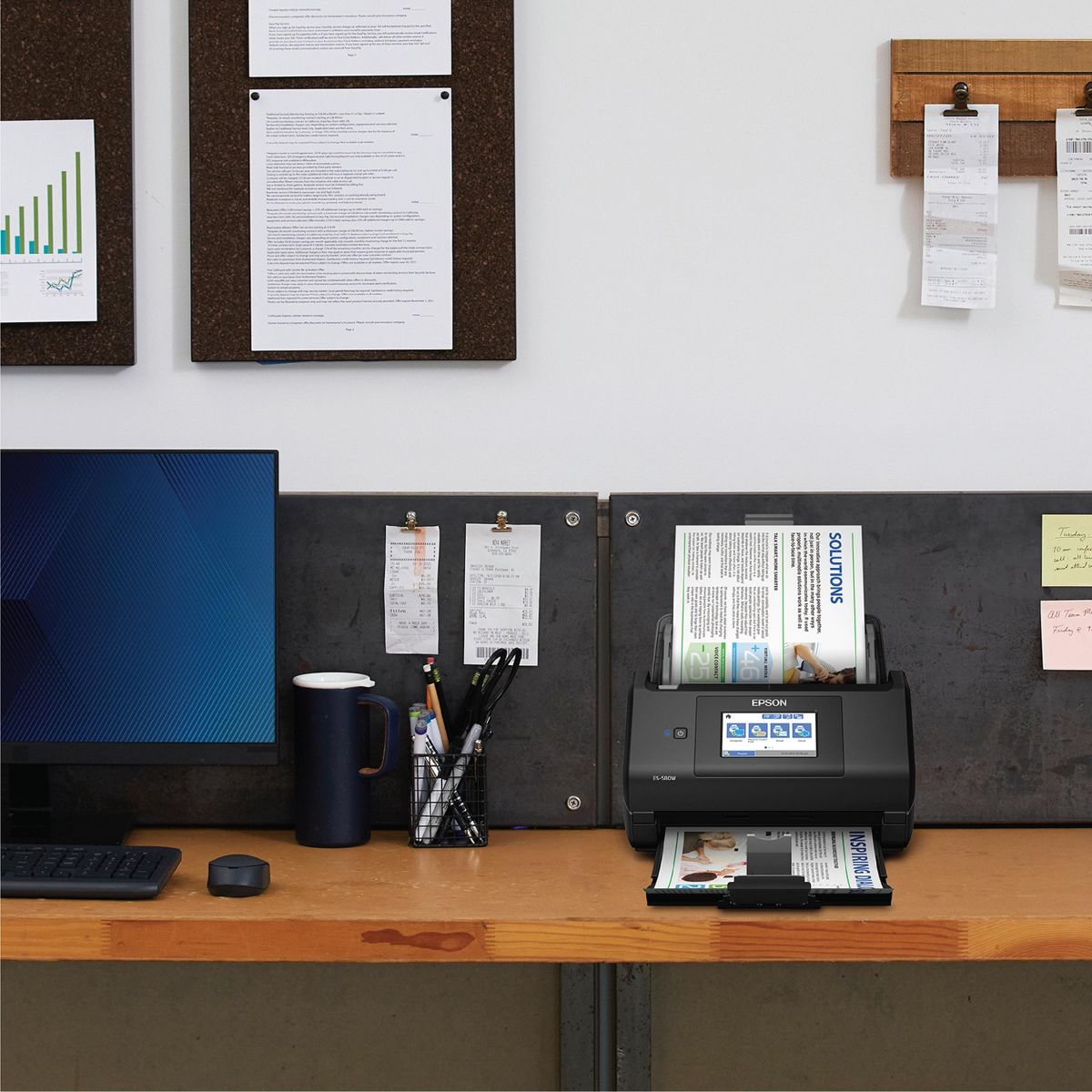
Epson WorkForce ES-580W Wireless Color Duplex Desktop Document Scanner
Write a review
$37999 $44999

Epson WorkForce ES-580W Wireless Color Duplex Desktop Document Scanner

Write a review
90022721
+
Add to wish list
Starget Electronics is a leading online electronics store offering a wide range of gadg...

City: US, New York

Delivery
Pickup at your own expense
Tomorrow from 09:00 to 20:00, Store location
Free
Payment options
Apple Pay Google Pay Mastercard Visa
Cash, bank card, credit/installment payments, cashless payment for legal entities
Warranty and returns
Exchange/return of products of proper quality within 14 days Official manufacturer's warranty: 12 months
Description
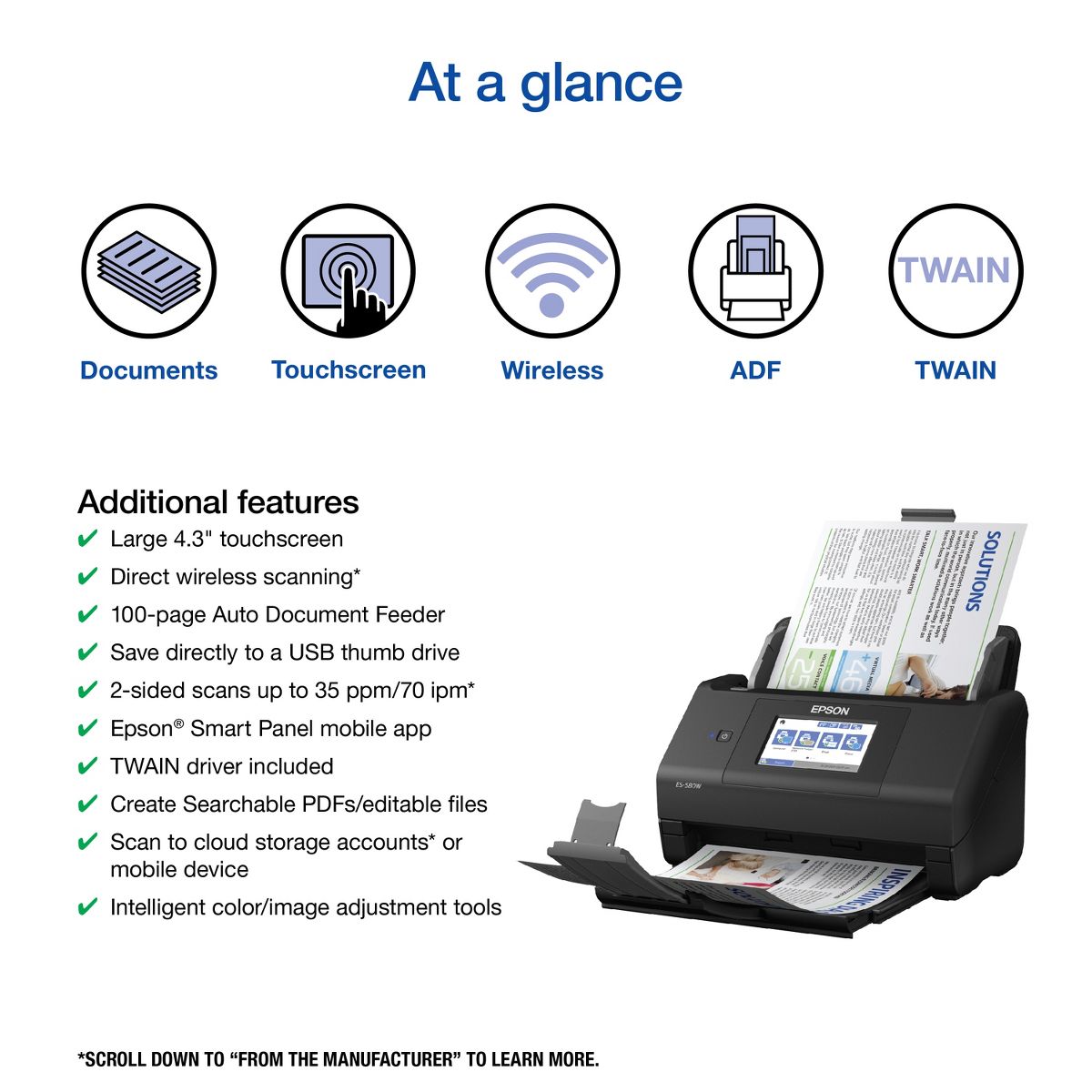
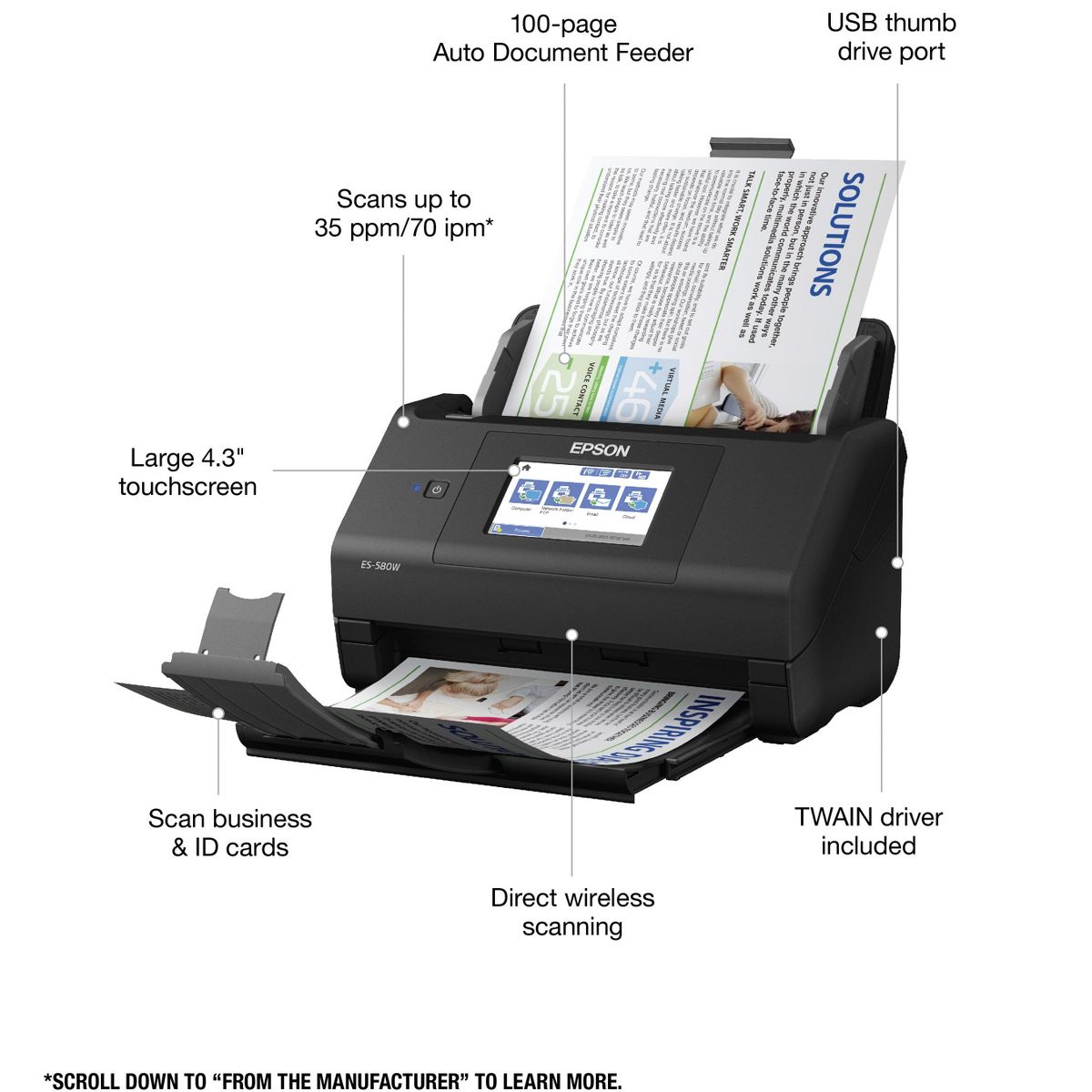
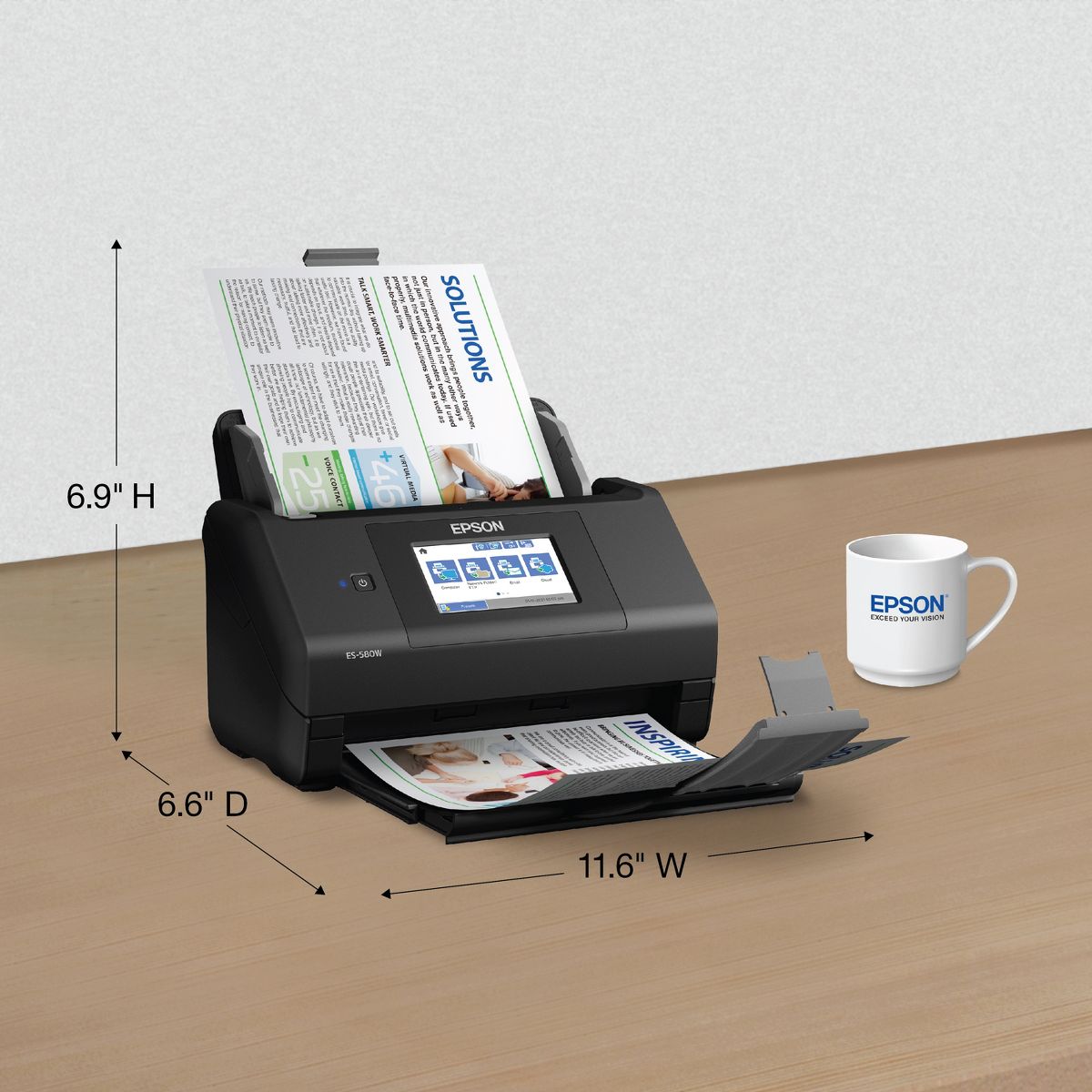
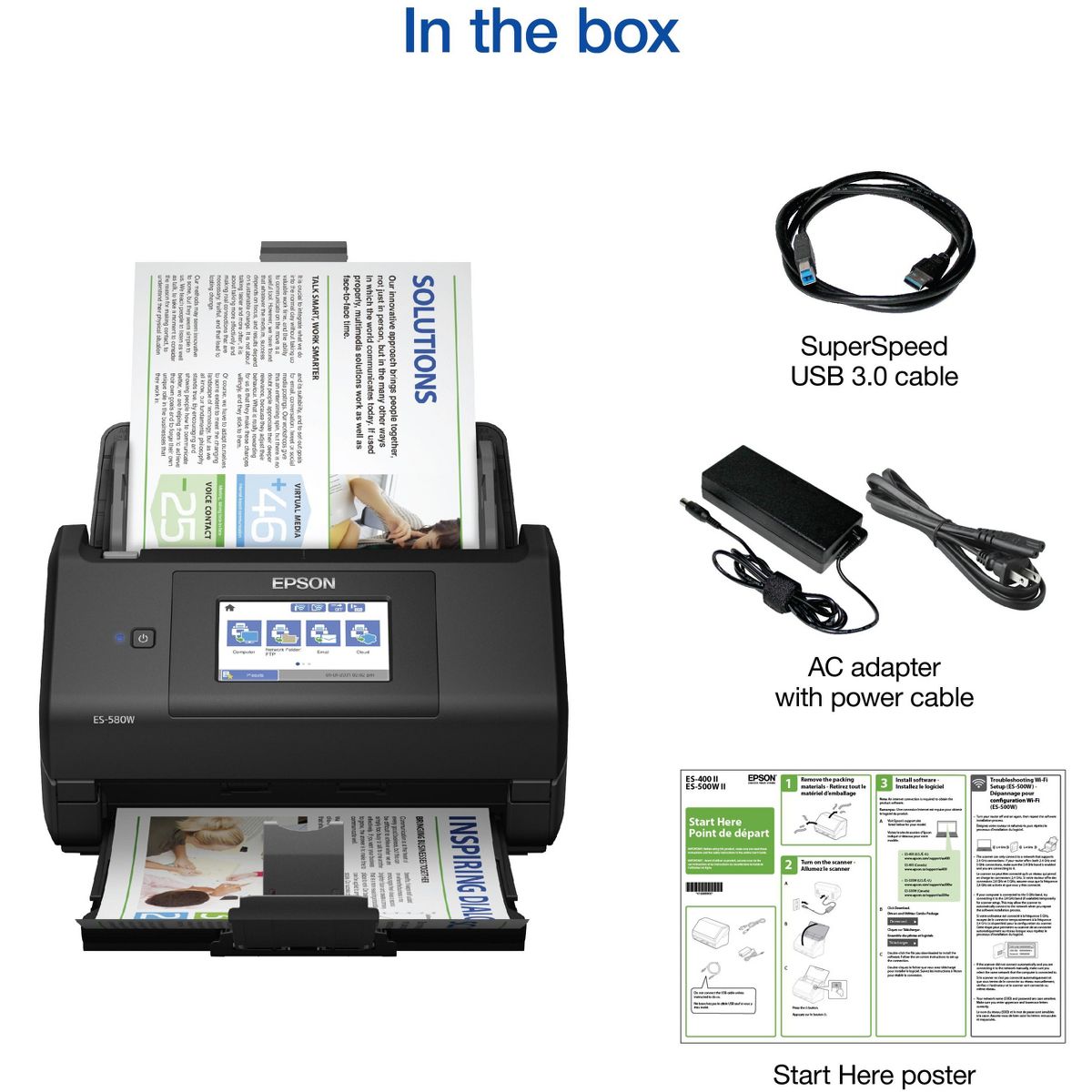
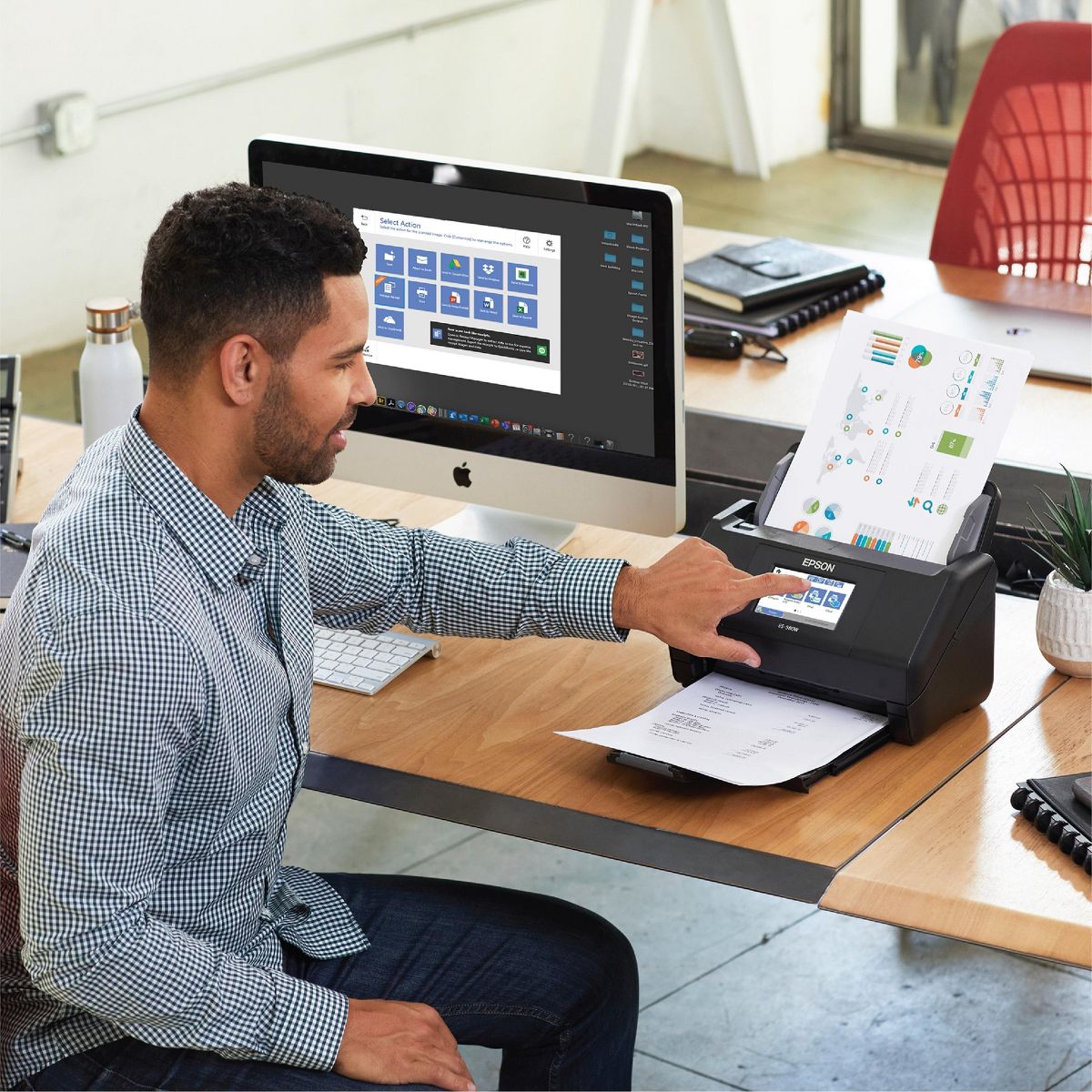
Get organized — quickly and easily — with the WorkForce ES-580W wireless duplex desktop document scanner. This reliable performer makes it easy to scan to your smartphone, tablet or online storage account from your desktop or your mobile device. You can even scan directly to a USB memory drive without using a computer. A 4.3" touchscreen enables quick, effortless navigation, while a 100-sheet Auto Document Feeder allows you to breeze through stacks of documents. Scan pages at up to 35 ppm/70 ipm, capturing both sides in one pass. Intuitive Epson ScanSmart Software means you can easily preview, email and upload your scans. The included TWAIN driver ensures compatibility with most document management software. Wirelessly scan to cloud storage accounts, create searchable PDFs, and get remarkable image quality with Epson Image Processing Technology.
Reviews
4.9
Reviews: 12
5 stars
92%
4 stars
8%
3 stars
0%
2 stars
0%
1 star
0%
SDiwan
5
Perfect for home office
I am really happy to have this new Epson ES-580W in my home office. It made life so simpler that it can easily scan many papers both side same time with many configuration of DPI. The moment I got this scanner I made all of my documents digital. I would highly recommend this for home office, it doesn’t occupy too much space. It is perfect for the value, now all my scans are just a click away without flipping the pages. Setting up is very easy, it comes with cable and WiFi options, just one piece attachment at top paper load and that’ll. Almost all of the scan options are available(scan to USB or cloud or send to email) Just downloaded the software from their website and I was able to set both mode, WiFi and wired. I noticed that it turns off automatically if not used for few hours.
Sergio Zygmunt
5
Great wireless scanner!
This Epson scanner has all of the features I need - double sided scanning (what the pros call "duplex,") wireless upload to cloud destinations (I use Google drive,) and a color touch screen to adjust scan settings. I use the scanner primarily to declutter my life by scanning bills and letters as soon as I get them so I don't have paper lying around. The touch screen lets you adjust things like if the document should be scanned in black and white or in color. It's very easy to setup and use and feels sturdy in terms of build quality yet it is compact enough to fit anywhere. This scanner fits into my workflow because I can use the screen to decide where the document should go and the documents are scanned on both sides automatically. And what's even better is that, unlike other scanners, this scanner is wireless and can upload straight to the cloud without a computer. You can adjust where documents can go (called destinations) on the Epson website and it's all free. If I have a lot of documents they all fit in the 100 page input tray which is more than double what other scanners have. You are also able to quickly digitize business cards because it can scan those too without an issue and without manual cropping. This is a review for the Epson WorkForce ES-580W Wireless Duplex Touchscreen Scanner that I received free of charge to do a beta test and review.
Tickleytiffers
5
Makes scanning a breeze!
I love so many things about this multi use scanner! It makes it extremely convenient that I can scan things using my to my iPhone, tablet, or computer. It also makes it very useful that it is wireless and a touchscreen so it’s easy to navigate through the options to perform the tasks that I need to get done. It scans up to 100 pages at one time quickly and effortlessly, so I’m able to leave it while multitasking instead of having to hand feed a page at a time. It’s also easy to share documents using the scanner, and I can save them to an USB drive, upload to my iCloud or my email. It also has added bonuses and features such as auto crop, blank page deletion, background removal, dirt detection and paper-skew correction with Epson Image Processing Technology. One of my favorite things about the scanner, is that it has Ultrasonic Double Feed Detection which helps prevent missing pages, and staples that get left in papers which sometimes accidentally happens. It was super easy to set up the scanner, and I also love the size, shape, and look at the scanner. It has a streamline and professional look and it’s also the perfect size so that way it doesn’t crowd up too much desk space. I’m very happy with the functionality and performance of this scanner! This is a review for the Epson WorkForce ES-580W Wireless Duplex Touchscreen Scanner that I received free of charge to do a beta test and review.
Nate760
5
What an amazing scanner!!!
I have to say Epson really has made a remarkable product. The ES-580W has actually surprised me. Usually scanners have been a pain connecting to older OS. It was very simple to put together and connect to the computer, my phone and the wireless network. The menu is quite self explanatory when setting up. The touch screen is a welcomed addition and doesn't require repetitive pressing to select a command. The size of the scanner makes for compact usage for those with limited space. If you drive, it is very travel friendly. Scanning up to 100 pages at a time is very helpful when I was scanning old documents. The great thing is you don't have to be a computer wiz to use the ES-580W. The functionality of this space saving work horse is worth having in your business arsenal. “This is a review for the Epson WorkForce ES-580W Wireless Duplex Touchscreen Scanner that I received free of charge to do a beta test and review.”
Adendyut
5
A Home or Regular Office Must Have
The Epson WorkForce ES-580W Wireless Duplex Touch Screen a scanner was pretty easy to get up and running. It only had 3 pieces and was quick to assemble. You plug it in and are guided through the process. In fact the most complicated step would be connecting to your wifi which most people have done with multiple devices... Some of my favorite features included the ability to rapidly scan two sided documents or even something as small as a business card. The document feeder can hold as much as one hundred pages. It was also quick to send scans to your favorites thanks to shortcut keys. The Epson Scan Smart software .is easy for the novice user to figure out and quickly start using.The touchscreen was also easy to read and scroll through due to its 4.3” size. It also offers quick access to frequently used cloud storage accounts. The practicality of this device for home office use can’t be beat. “This is a review for the Epson WorkForce ES-580W Wireless Duplex Touchscreen Scanner that I received free of charge to do a beta test and review.”
Taylor Renee
4
Easy set up
I wear multiple hats in my home office to include homemaker, teacher, business owner, and student. In looking for a scanner I wanted something that would scan quickly, effectively, and quietly. I chose this Epson for the speed, double-sided, and wireless capabilities. To start, setup is a breeze, even for someone who isn't particularly technically savvy. Once you download the software on your computer, setting up the wireless connectivity is done step by step for you. Setup took me about 5 minutes from start to finish. I have been fairly happy with the scanning capabilities. The quality far surpasses my standard printer/scanner/fax combo that I was previously using. Furthermore, it scans documents considerably faster. One thing I was looking forward to, was being able to scan and open documents as editable word documents. While the quality of the PDF is great, the consistency of quality in the word documents is subpar. I've attached two pictures of the same document, one scanned as a PDF and one scanned as an editable word document. As you can see, there are some variations in the word document. Still, the capabilities offered by the scanner are far superior to what I was using previously. If the word document function was improved, I would have nothing but positive experiences.
Jewels53
5
Great scanner
This is great for scanning letters, documents , letters and so much more. You can set it up for double sided scanning and it even skips blank pages . This is perfect for my everyday needs , It scans everything very quickly . Getting it setup and ready to go was a pain though. My biggest issue was the software, it's ok . At first I constantly lost connection when connected to wifi , so I had to turn everything off and back on several times. After that it was good to go . With this Epson scanner I just load the paper and set the destination to where I want to scan it . I love that it's also wireless , I can use this product from the app on my phone , when I'm not near my computer. So far I haven't experienced any paper jams . The touchscreen is was to navigate everything quickly. The only thing I haven't tried so far is scanning directly to a USB memory drive without having to use my computer . I'm pretty sure I will need to sooner or later , that's a cool feature . Overall I'm very satisfied with this amazing scanner and it doesn't take up much counter space. This is a review for the Epson Workforce Es-580W Wireless Duplex Touchscreen Scanner that I received free of charge to do a beta test and review .
Mike_SP
5
A quality, easy to use, and option-rich product!
Epson WorkForce ES-580W Scanner is a truly capable product. I’m going to list all the cons and pros for a brief summary and include a more detailed review following that list. Pros: - VERY capable OCR technology to scan and convert the scanned document into a searchable document with a single pass. - Conveniently scans both sides of the paper with a single pass. - Seamless wireless integration across multiple devices (PC, mobile, tablet). - Great scanning quality. - A 4.3" touchscreen with multiple available options. Cons: - The only thing I can think of would be a more modern-looking design on the device. Link to User Manual: https://files.support.epson.com/docid/cpd5/cpd59134.pdf If you’re interested in reading more details about this product, continue reading below: Setting up the device is quite easy. Once you follow the instruction and connect the scanner to you wireless connection, linking the scanner to any other device that’s also connected to the same wireless network is super fast/easy, you’ll just tap a button on the target device. I’m quite impressed with the Epson WorkForce ES-580W Scanner. It has a conventional design of a sheet-feed scanner, being capable of scanning 100 sheets of normal letter size papers at one pass. It also has a 4.3" touchscreen with multiple options built on it. The options on this touchscreen pad are the usual setting plus the options to scan to a computer, a network folder, an email attachment, a cloud-based service such as Google Drive or OneDrive, to a usb flash drive, WSD on a computer, and instructions on scanner maintenance with step-by-step instructions (which are super helpful). First off, I’m very impressed with the OCR technology built-in into the scanner. I scanned multiple pages of text and found ZERO mistakes in the OCR capability. You can saved the searchable document in the format of a PDF, Word, Excel, and PowerPoint file. This feature was simply my favorite one. Another very useful features was the seamless wireless integration with my cellphone. Once the Epson Smart Panel app is installed on your phone, you can control the device from your cellphone, easily scan documents right into your cellphone (you’re also able to adjust the usual settings from the phone). I was able to compare the scanning quality with another scanner of a different brand (although a flatbed type), and the Epson came off with better scanning qualities overall. After the item has been scanned, you can rotate or change the order of scanned pages separately or together. Overall, Epson WorkForce ES-580W gives a very capable, option-rich experience to scan multiple documents at a very short time, with an integrated wireless connectivity that makes collaborating and sharing much easier. Disclaimer: This is a review for the Epson WorkForce ES-580W Wireless Duplex Touchscreen Scanner that I received free of charge to do a beta test and review.
shahid09
5
Super high quality scanner!
This is a nice, really fast desktop document scanner. I have used many scanners but this one is a piece of art loaded with technology. I have been using this wireless scanner for about a week and really impressed so far. It is easy to set up, quiet, fast, and very easy to use. It is a powerful way to de-clutter and organizes your life from loads of papers. The instructions were user-friendly and easy to follow. The large 4.3-inch touch screen and wireless connectivity allow to easily scan to a smartphone, tablet, computer, or cloud. It has 100 sheets ADF which quickly scan stacks of paper. The wireless feature is a bonus in getting our old and new paperwork scanned into files and eliminating boxes of old paperwork and enabling us to share family records. The documents scanned really fast (up to 35 ppm/70 ipm) and the best part was it is a duplex scanner which means you insert the page once and both sides are scanned. I scanned all the bills (crushed, crumpled receipts from grocery stores, gas stations, etc. that are really thin) at lightning-fast speed without a paper jam!! And believe me, this is the first time I was able to scan without a paper jam. I also scanned my driver’s license and credit cards which were really easy because of this device. The software is easy to use and understand. The application has all the rich features which I love it and has a different number of dropdowns that are simple to understand and work with. I used the custom mode to have it work according to my wish. It worked pretty well, and the output was awesome. Using Epson ScanSmart software I was easily able to preview, email, or upload my scans to my choice of device. The included TWAIN driver ensures compatibility with most document management software. Wirelessly scan to cloud storage accounts, create searchable PDFs, and get remarkable image quality with Epson Image Processing Technology. It creates searchable PDFs with optical character recognition (OCR); convert scanned documents to editable word and excel files If you're in the market for a stand-alone desktop scanner or scan many documents day to day, take a serious look at the ES-580W Wireless Duplex Touchscreen Desktop Document as it is fast, accurate, and easy to set up while taking up little space. Highly recommended! This is a review for the Epson WorkForce ES-580W Wireless Duplex Touchscreen Scanner that I received free of charge to do a beta test and review.
MarthaD
5
Easy to Set Up
I was amazed at how easy this Epson WorkForce ES-580W Document Scanner was to set up. The software had step by step instructions for downloading to my laptop and there were no glitches. After the scanner was turned on I set the language and time' the download was complete and ready to scan in less than 10 minutes. This is the easiest way to save documents whether you are looking to scan recipes, receipts, invoices or any other documents to your computer, email or online cloud storage. It even has the capability to scan without a computer to a USB memory drive. The best part is it's wireless but also comes with a USB cable if you want to hook it up directly to your computer. The touch-screen is easy to navigate and the unit has a 100 sheet auto document feed. I did a trial scan of some recipes and saved them to my laptop in a RECIPE file. Next I scanned a variety of about 20 invoices using the auto feed and every sheet ran through perfectly. This scanner is perfect for home or business and I plan to use it in my home office to keep everything neatly organized in computer files. I am very impressed with how simple the instructions were and easy to download the software to be ready to start scanning and get organized. No more piles of receipts and invoices, everything is neatly filed on my computer. Whether you are scanning 3x5 recipe cards, invoices or 8x10 documents, the paper width can easily be adjusted to the width needed. There is also a scanner maintenance tab where it shows step by step photos for cleaning the roller. I can't say enough on how easy this document scanner is to use from set-up, using, storing and cleaning when needed. I am totally impressed with the quality, the construction, how easy it is to operate and the overall look and size of this Epson ES- 580W. This is a review for the Epson WorkForce ES-580W Wireless Duplex Touchscreen Scanner that I received free of charge to do a beta test and review.

Showing 10 of 12 reviews

Similar products
You may be interested
  • Bestsellers
  • Recently Viewed
 
Fast and high quality delivery

Our company makes delivery all over the country

Quality assurance and service

We offer only those goods, in which quality we are sure

Returns within 30 days

You have 30 days to test your purchase